From “How?” to Hands-On
Extract a supported icon, open its project in Apple’s Icon Composer, and inspect the SVG and PNG layers behind the finished artwork.


 Composer Goodies
Go beyond the finished icon. Extract compatible Mac app artwork into editable Icon Composer projects and explore it layer by layer.
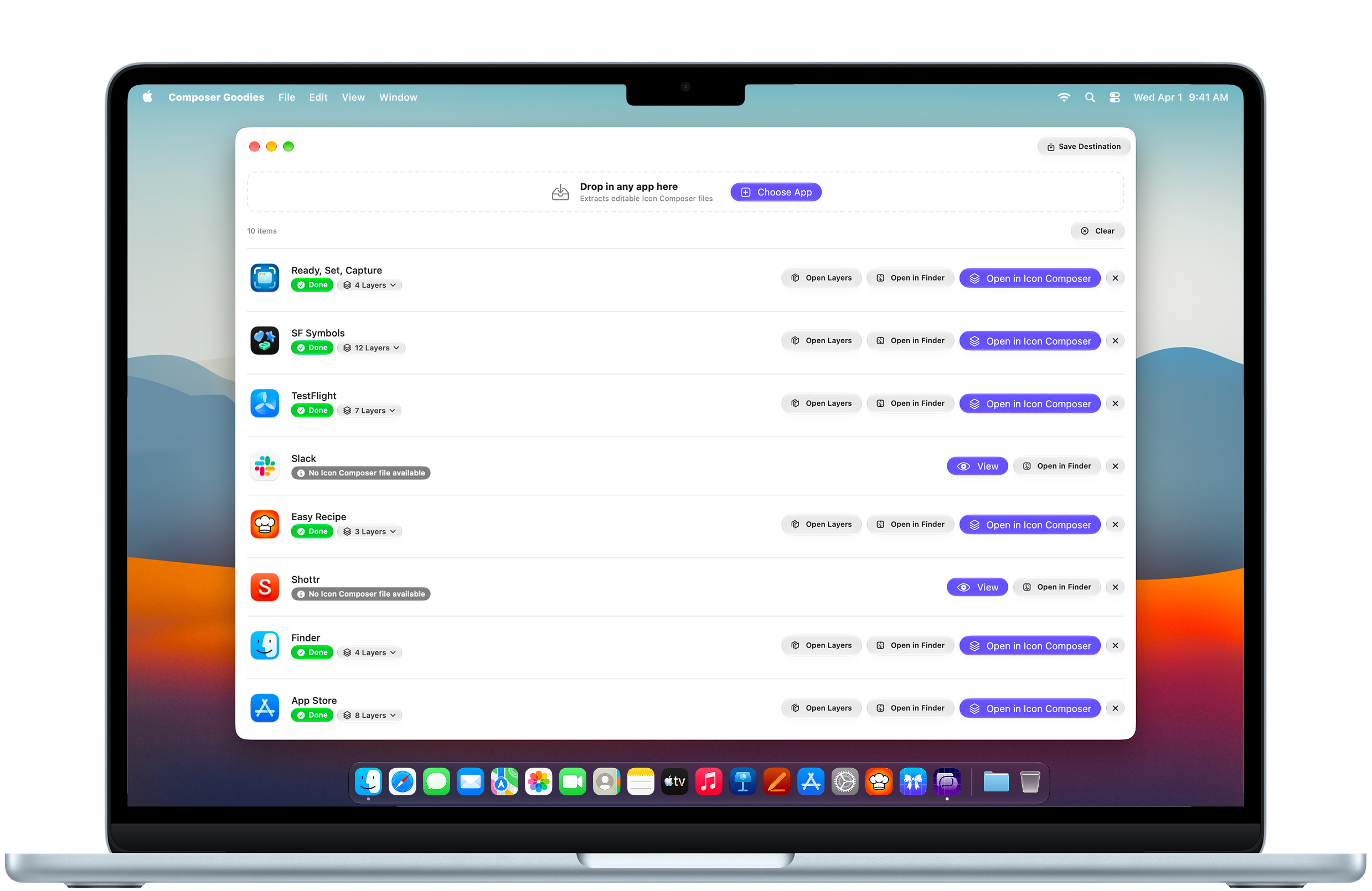
A finished icon is only the beginning. Explore the artwork inside compatible Mac apps and take it into Apple’s Icon Composer.
Extract a supported icon, open its project in Apple’s Icon Composer, and inspect the SVG and PNG layers behind the finished artwork.
Inspect individual SVG and PNG artwork.
Open extracted projects in Apple Icon Composer.
Save the layers you need or export a classic icon when layered data is unavailable.
Explore icons, discover their details, and make room for your next idea.
Get on the App Store